
Reviews
Gemsona Designer offers a satisfying character creation experience with a good variety of gem types, body shapes, and hairstyles. The ability to place gems anywhere on the body and switch between Solid and Clear modes adds depth. The randomize button is great for quick inspiration. It is a relaxing and creative tool for fans.
About this game
Game Introduction
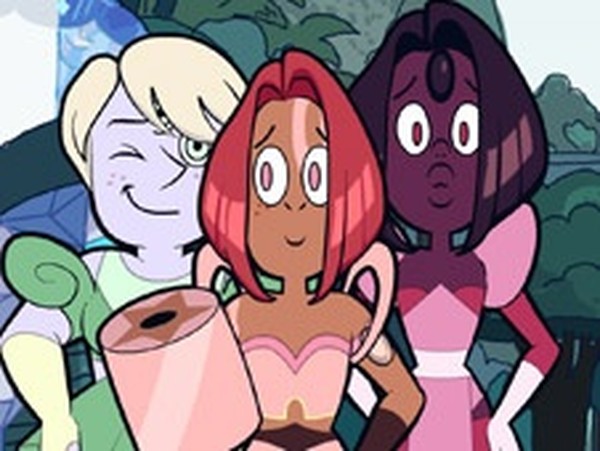
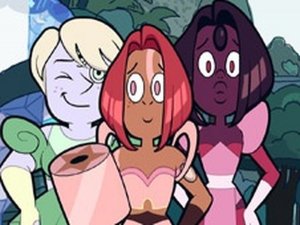
Gemsona Designer is a character creation tool that allows players to design their own gem characters. The game is inspired by the concept of gem-based characters from popular animated series. Players can choose from a variety of gem types such as Onyx, Peridot, Cobalt, Rainbow Quartz, and Sapphire. Each gem can be placed on any part of the character's body. The game offers two visual modes for the gem appearance: Solid and Clear. This feature gives players control over how the gem looks on their character. In addition to gem selection, the game provides a wide range of body types, faces, hairstyles, and colorful backgrounds. These options help players create a character that feels personal and unique. One of the standout features is the ability to create multiple characters and arrange them together on the same background. This allows players to build a group of friends or a team. For those who need inspiration, a randomize button instantly generates a complete character design. The game is designed for fans who enjoy creative expression and character design. It is a simple, relaxing activity that encourages imagination and experimentation.
How to Play
To play Gemsona Designer, players start by selecting a gem type from the available list. They then decide whether the gem should appear in Solid or Clear mode. Next, they click on the character's body to place the gem in a desired location. After placing the gem, players choose a body type that fits their vision. They then select a face and a hairstyle from the available options. Finally, they pick a background from the collection to complete the scene. Players can repeat these steps to create additional characters and arrange them together on the same background. The randomize button can be used at any time to generate a surprise character design. The game is intuitive and does not require any special skills. It is suitable for players of all ages who enjoy creative character design.
Game Features
Gemsona Designer includes several features that support creative character design. Players can choose from multiple gem types, each with Solid and Clear visual modes. Gems can be placed on any part of the character's body. The game offers a variety of body shapes, faces, and hairstyles to choose from. A collection of colorful backgrounds is available to set the scene for each character. Players can create multiple characters and arrange them together on one background. The randomize button provides quick inspiration for new designs. These features make the game a flexible tool for character creation.
Tips for Success
Gemsona Designer is a simple and enjoyable tool for fans who want to design their own gem characters. It offers enough customization to make each character feel unique. The random feature is helpful when you are unsure what to create. It is a relaxing activity for solo play or for collaborating with friends on a shared project. Experiment with different combinations to discover new looks.





Comments
Sign in to leave a review
No account? Create one
No comments yet.