
Reviews
Dental Care Clinic Fun offers a warm, educational experience for young players. The expressive patient reactions and realistic tools make learning about dental care engaging. The decoration feature adds a creative layer, letting kids personalize their clinic. It is free, safe, and perfect for family play. A gentle introduction to healthy habits.
About this game
Game Introduction
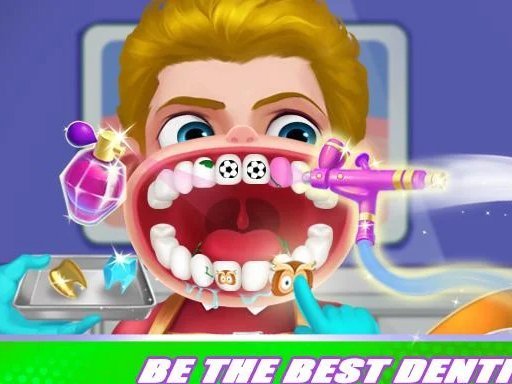
Welcome to a cheerful dental adventure designed for young players. In this game, you take on the role of a helpful dental professional in a colorful clinic. The main goal is to assist a variety of friendly patients with their dental needs, from cleaning to filling cavities. What makes this experience special is how patients react with genuine emotions—they smile, laugh, and show relief as you care for them. Created with children and families in mind, this free online activity offers a safe and educational environment. There are no scary or violent elements; it is all about learning good dental habits while having a pleasant time. The clinic is a happy place where every visit ends with a brighter smile.
How to Play
Players begin by choosing a patient from a welcoming waiting area. Using simple mouse clicks, you examine each patient's teeth to spot any issues. Then, you select the appropriate tools to clean, polish, or fill teeth. As you work, patients show happy reactions, which makes the process engaging. After each session, you earn points that can be used to personalize your clinic. The game offers clear guidance, so even new players can start easily. You can play at your own speed and enjoy the rewarding feeling of helping others.
Game Features
This game includes realistic dental instruments that mimic real-life tools, expressive patient reactions that add warmth, and creative options to decorate your clinic. Players can arrange furniture, choose colors, and make the space cozy and inviting. The game is free to play online, making it accessible to everyone. It focuses on educational and family-friendly content, ensuring a safe and enjoyable experience for all ages.
Tips for Success
To do well, take your time examining each patient's teeth carefully to find all problems before starting treatment. Use the correct tool for each issue to provide effective care and keep patients happy. Earn rewards by completing sessions thoroughly, and use them to decorate your clinic—a welcoming environment helps patients feel more comfortable. Practice regularly to improve your skills and speed. Most importantly, enjoy the process of helping others and creating a fun dental space.








Comments
Sign in to leave a review
No account? Create one
No comments yet.