
Reviews
Block Run Parkour Challenge delivers a straightforward yet engaging platforming experience. The team-based approach adds a social dimension that sets it apart from solo obstacle courses. Courses are well-designed, with a gradual difficulty curve that keeps players motivated. The blocky graphics are charming and functional, making it easy to read each jump. Controls are responsive, and the lack of time pressure reduces frustration. It is a solid choice for anyone looking for a free, family-friendly game that focuses on precision and timing.
About this game
Course Navigation Basics
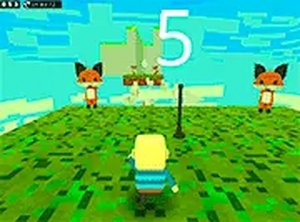
In Block Run Parkour Challenge, players control a character moving through a series of elevated platforms and block structures. The core activity involves leaping from one surface to another while maintaining balance and avoiding gaps. Each course presents a unique arrangement of blocks, some stationary and others that shift position. The visual style uses bright, solid colors that make each element distinct against the background. This clarity helps players quickly assess distances and plan their next move.
Team Dynamics and Objectives
Before starting a course, players choose between two teams. This selection adds a layer of social interaction, as teammates can work together to reach the end or compete to see who finishes first. The team aspect encourages communication and coordination, especially on more complex sections where timing matters. The goal remains simple: get your character from the start to the finish line by overcoming the physical challenges along the way.
Visual and Control Design
The game world is built from cube-shaped blocks that form stairs, bridges, and towers. This blocky aesthetic is consistent throughout, giving the environment a playful, toy-like feel. Controls are handled through keyboard inputs for movement and jumping, while the mouse adjusts the camera angle. This setup allows players to look around corners and spot upcoming obstacles. The interface is minimal, keeping focus on the action without distracting menus or pop-ups.
Progression and Difficulty Curve
As players advance, courses become more demanding. Early levels feature wide platforms and short distances, letting newcomers get comfortable with the controls. Later stages introduce narrower ledges, moving blocks that require precise timing, and longer gaps that demand well-measured jumps. There is no countdown timer, so players can pause to study a tricky section before attempting it. This gradual increase in difficulty helps build confidence and skill over time.
Accessibility and Platform
Block Run Parkour Challenge runs entirely in a web browser, requiring no installation or account creation. It is optimized for desktop computers where a keyboard and mouse provide precise control. The game loads quickly and runs smoothly on most modern browsers. Full-screen mode is available for those who prefer an expanded view. This low barrier to entry makes it easy for anyone to try the game and start playing within seconds.

Comments
Sign in to leave a review
No account? Create one
No comments yet.