
Reviews
This game stands out for its focus on pure creativity without any commercial interruptions. The 3D workspace gives designs a realistic feel that kids love. Parents will appreciate the ad-free, purchase-free environment. The only downside is that the sticker library could be larger, but regular updates help. Overall, it is a solid choice for encouraging artistic play in a safe digital space.
About this game
What Makes This Studio Special
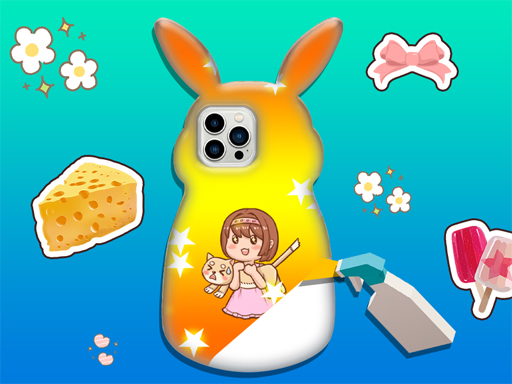
This game gives young artists a 3D workshop to build custom phone cases from scratch. Unlike many creative apps, there are no locked features or surprise costs. The workspace shows every angle of the design, so kids can see how their choices look from the side or top. This helps them understand spatial relationships and color balance in a natural way. Parents appreciate that the environment stays free of outside content, keeping the focus on creation.
Building Your Design Step by Step
Starting is simple: choose a base case shape, then open the sticker and pattern library. Each item can be dragged onto the case and adjusted with pinch-to-zoom or rotation gestures. Layers stack, so a flower sticker can sit over a striped background. The controls are responsive enough for small hands but offer enough precision for older children. Saving work to the album lets kids return later to tweak or admire their progress.
Exploring Colors, Textures, and Patterns
The library includes a wide range of patterns from geometric shapes to nature themes. Stickers add fun elements like animals, stars, or food icons. Textures give the case a matte, glossy, or sparkly finish. Kids can mix these freely, trying out combinations they might not see in stores. This open-ended approach encourages experimentation without fear of making mistakes. Every design is a valid creation, which builds confidence in young users.
Why This Game Works for Families
There are no timers, scores, or competitions. The only goal is to make something the player likes. This makes it a calm activity for rainy afternoons or quiet time. The album feature lets parents see what their child has created, opening conversations about art and personal style. Updates occasionally add new stickers or patterns, keeping the experience fresh without overwhelming the player. It is a tool for self-expression rather than a game with winners or losers.
Tips for Getting the Most Out of the Studio
Encourage children to start with a simple pattern and then add one sticker at a time. Using the rotate tool can help align elements neatly. Trying different background colors before placing stickers often leads to surprising results. Saving multiple versions of the same case allows kids to compare which layout they like best. Sharing designs with family members can inspire new ideas and make the activity social.







Comments
Sign in to leave a review
No account? Create one
No comments yet.