
Reviews
Airport Parking Master 3D offers a surprisingly engaging experience that tests your spatial awareness and control. The realistic 3D graphics and progressive difficulty keep you coming back for more. It is a clean, family-friendly game that provides a genuine sense of accomplishment with each perfect parking job. The variety of aircraft adds depth, making it a great choice for simulation enthusiasts.
About this game
Game Introduction
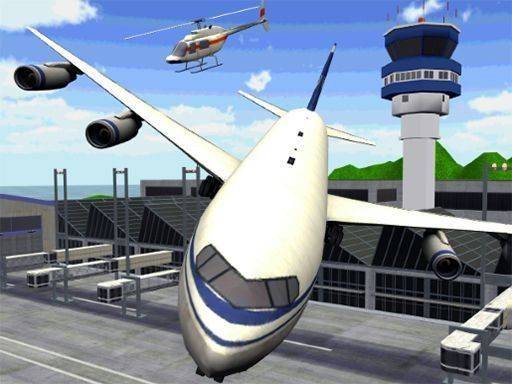
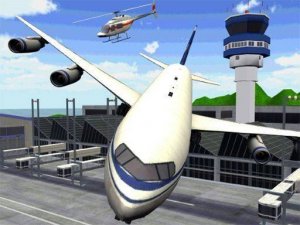
Airport Parking Master 3D is a simulation game that places you in the role of a pilot responsible for maneuvering a large aircraft to its designated parking position. The game is set in a detailed airport environment, complete with runways, taxiways, and multiple parking bays. Your main goal is to carefully guide your chosen plane from the runway to the correct parking spot, avoiding other aircraft and airport structures along the way. This activity requires a steady hand and good spatial awareness, as the aircraft is large and the parking spaces are tight. The game provides a realistic feel of airport operations without any violent or inappropriate content, making it suitable for players of all ages. It is designed to be both educational and entertaining, helping players understand the complexities of aircraft ground handling. The sense of achievement from a perfectly executed parking maneuver is a key motivator, encouraging players to improve their skills with each attempt.
How to Play
Players typically use keyboard controls to steer the aircraft, while the throttle is managed with the mouse for precise speed adjustment. The objective is to navigate through the airport environment, following the designated path to the assigned parking slot. You must avoid collisions with other planes, buildings, and ground vehicles. Each level presents a new parking challenge, requiring careful steering and positioning. The game rewards patience and accuracy over speed, so taking your time to align the aircraft correctly is essential. As you progress, the difficulty increases, demanding greater control and focus. The controls are intuitive, allowing new players to quickly understand the basics while offering depth for those seeking a challenge.
Game Features
The game features realistic 3D graphics that create an immersive airport atmosphere. It includes a variety of challenging parking levels that test your precision and control. The controls are designed to be accessible, making it easy for beginners to start playing immediately. The game offers a progressive difficulty curve that keeps players engaged and motivated to improve. Players can choose from different aircraft, each with its own handling characteristics that affect how it responds to steering and throttle inputs. The game provides a satisfying sense of accomplishment when a parking maneuver is completed successfully, encouraging repeated play.
Tips for Success
Practice regularly to improve your control and precision. Learn the layout of each level to anticipate turns and obstacles. Use gentle movements with the controls to avoid overshooting the parking slot. Take your time to align the plane correctly before stopping. The more you play, the better you will become at judging distances and angles.





Comments
Sign in to leave a review
No account? Create one
No comments yet.