
Reviews
Smile Creator: Silly Faces stands out for its simplicity and charm. The drag-based controls are immediately understandable, yet they allow for a surprising range of expressions. The lack of goals or time limits removes any stress, making it a perfect tool for relaxation and creative play. Its cross-device compatibility and free access add to its appeal for parents seeking a safe, engaging online activity for children.
About this game
Open-Ended Expression
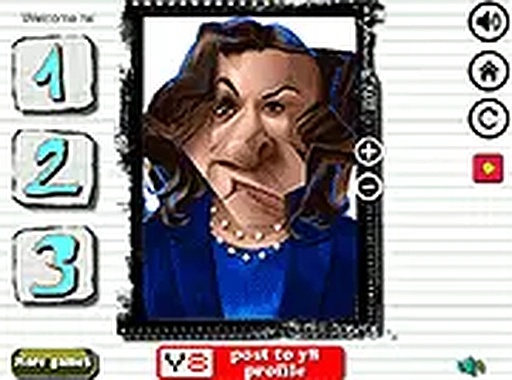
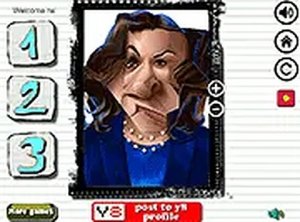
Smile Creator: Silly Faces offers a blank canvas for creativity. Instead of following a set path, players are free to explore the limits of a digital face. By interacting with simple on-screen controls, each session becomes a unique experiment in expression. The absence of objectives or time constraints encourages children to play at their own pace, discovering new combinations of features with every click or tap. This format supports relaxed, self-directed play where the process of creating is the main reward.
Intuitive Controls
The game uses a straightforward point-and-drag system. Yellow markers appear on the character's eyes, mouth, and other facial areas. Moving a marker stretches or distorts that specific part. Multiple markers can be adjusted at once, allowing for layered effects like a wide grin paired with raised eyebrows. The controls are responsive to both mouse and touch input, making the game equally enjoyable on a desktop computer, tablet, or smartphone. This simplicity ensures that even the youngest players can participate without frustration.
Kid-Friendly Design
Visuals are bright and cheerful, with a cartoonish style that appeals to children. The interface is uncluttered, featuring only the essential controls and a full-screen option for a more immersive experience. There are no ads or pop-ups that interrupt play, and the content is entirely wholesome. The game runs directly in a web browser, requiring no downloads or installations, which adds to its safety and convenience for parents seeking a reliable activity for their kids.
Sharing the Fun
While the game itself is a solo activity, the real joy comes from sharing the results. Children can show their silliest creations to family and friends, sparking conversations and laughter. This social aspect turns a simple digital tool into a bonding experience. The open-ended nature means there is always a new face to create, encouraging repeated play and ongoing creativity. Smile Creator: Silly Faces is a lighthearted way to spend screen time that emphasizes imagination over competition.





Comments
Sign in to leave a review
No account? Create one
No comments yet.